

How to Become a Building Inspector in Quebec: Training, RBQ Certificate and Getting Started in 2026
Field capture
Capture your inspection, your way
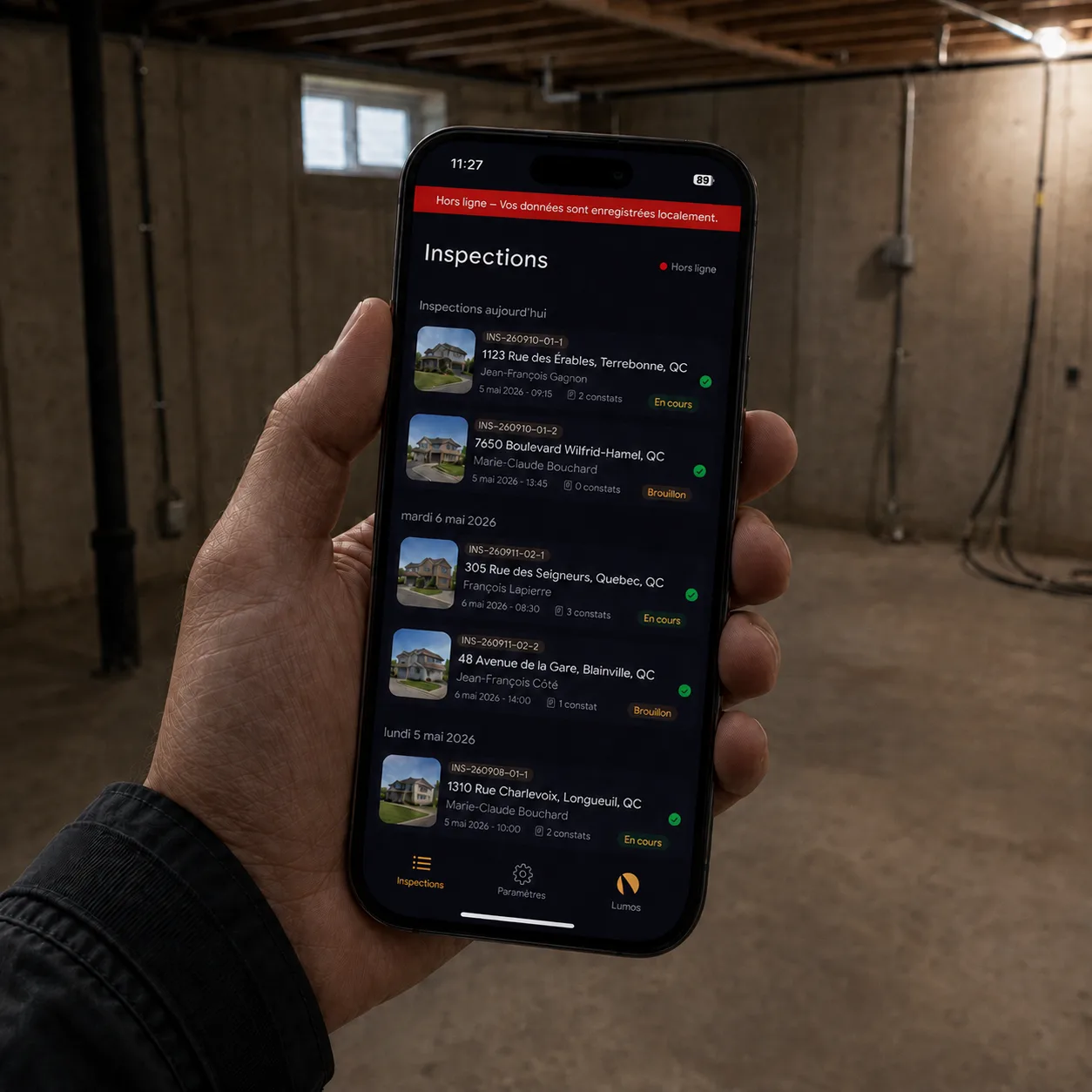
Lumos Capture is an inspection app that keeps working even offline: photo, audio and text capture continues with no signal and syncs automatically when the network returns.
Voice dictation transcribes your observations and files them in the right section while you carry on with your inspection. Prefer your usual camera? Import the whole shoot in one batch and build the report at your desk.
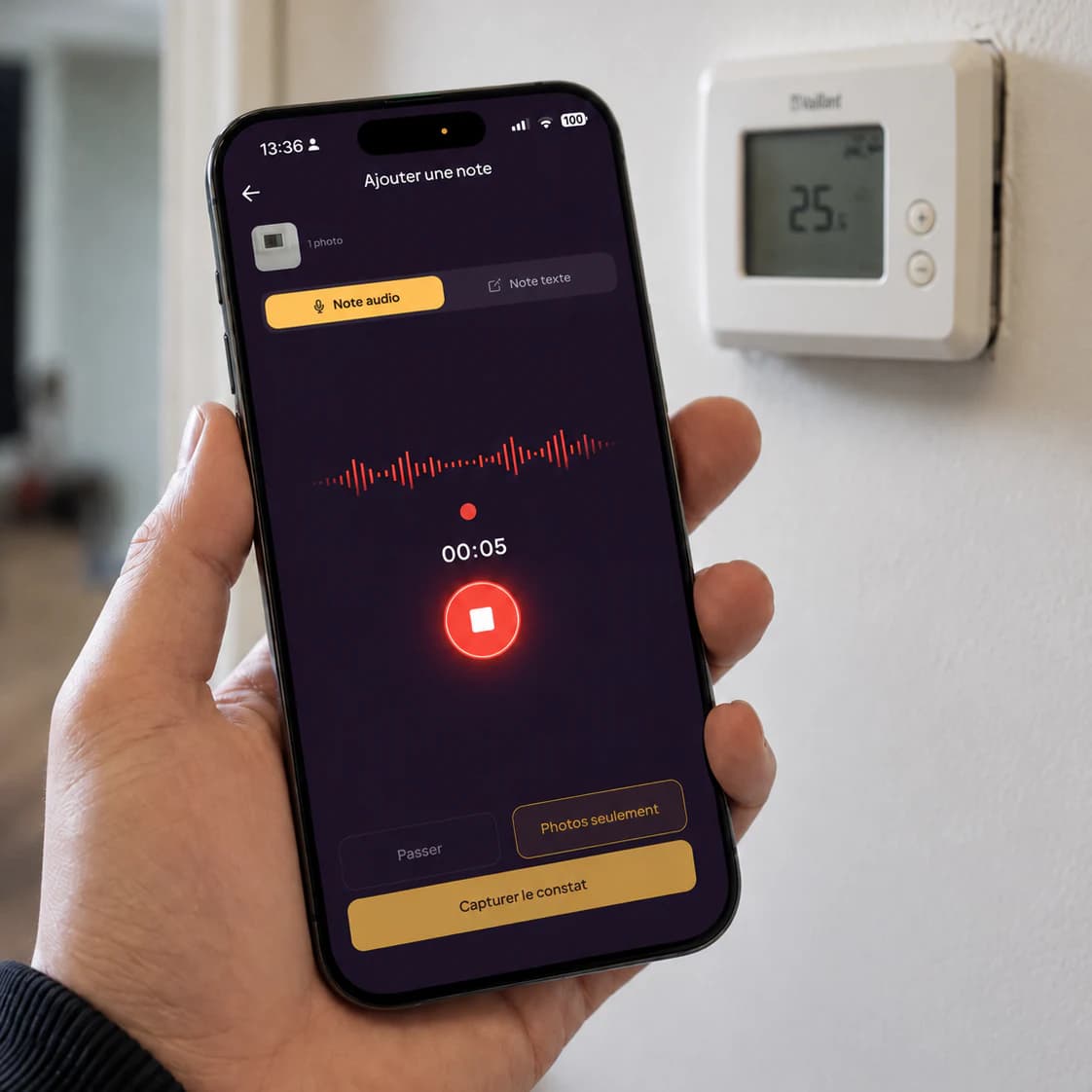
Voice dictation
Speak. It’s captured.
Describe what you see as you move through the building. Your dictation is transcribed automatically and lands in the right section — you focus on what you do best: inspecting.
- Automatic transcription tuned to inspection vocabulary
- Findings pre-classified in the right section and subsection
- Room by room, at your pace — you review everything after
Batch import
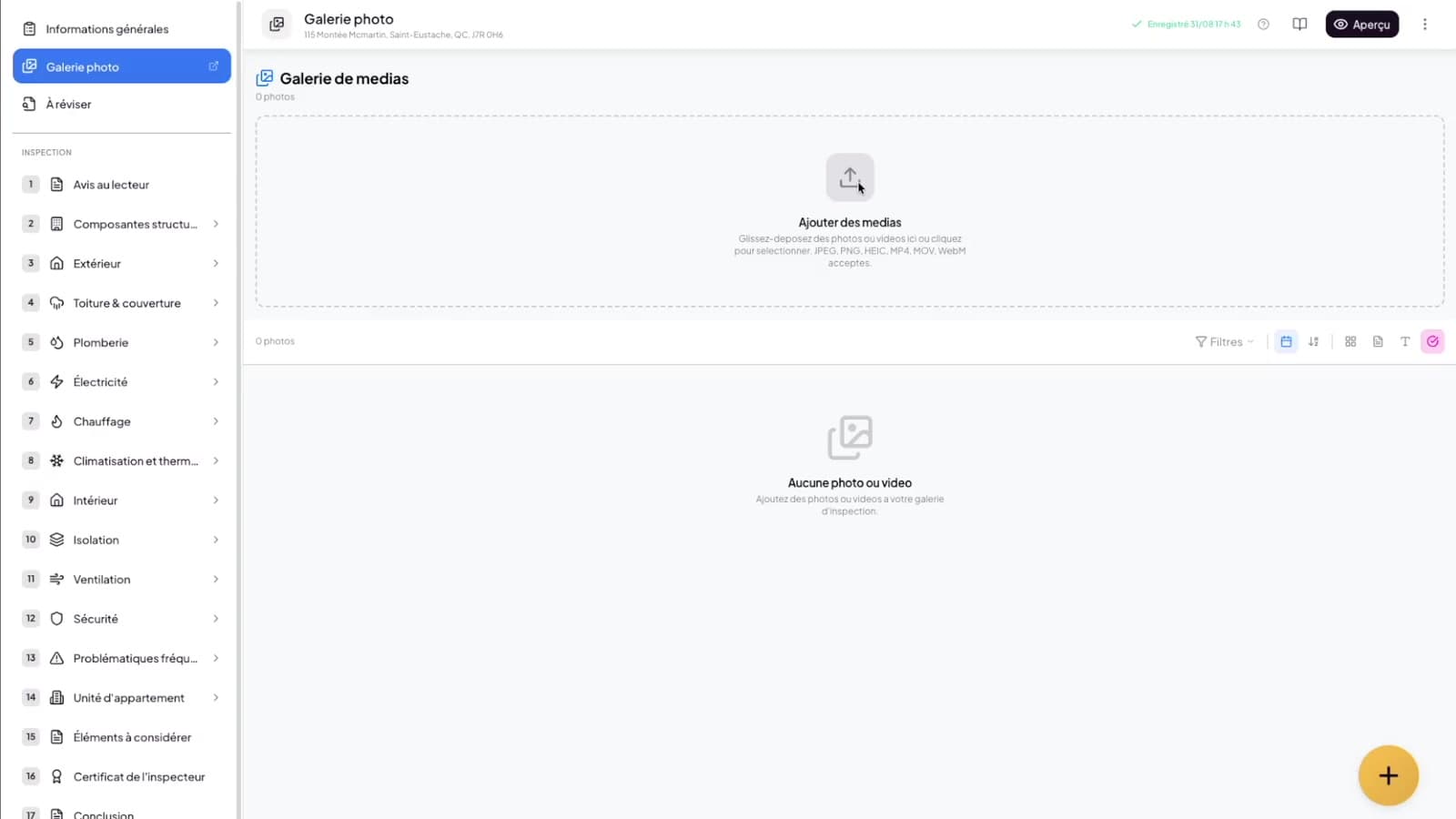
Your camera works here too
Prefer shooting with your usual camera and building the report afterwards? Import all the photos from your SD card in one drag and drop, then assign photos to sections in minutes. No imposed workflow.
- Bulk upload with progress tracking and automatic compression
- Photo-to-section assignment in a couple of clicks
- Reusable image bank with tags and search
Annotations
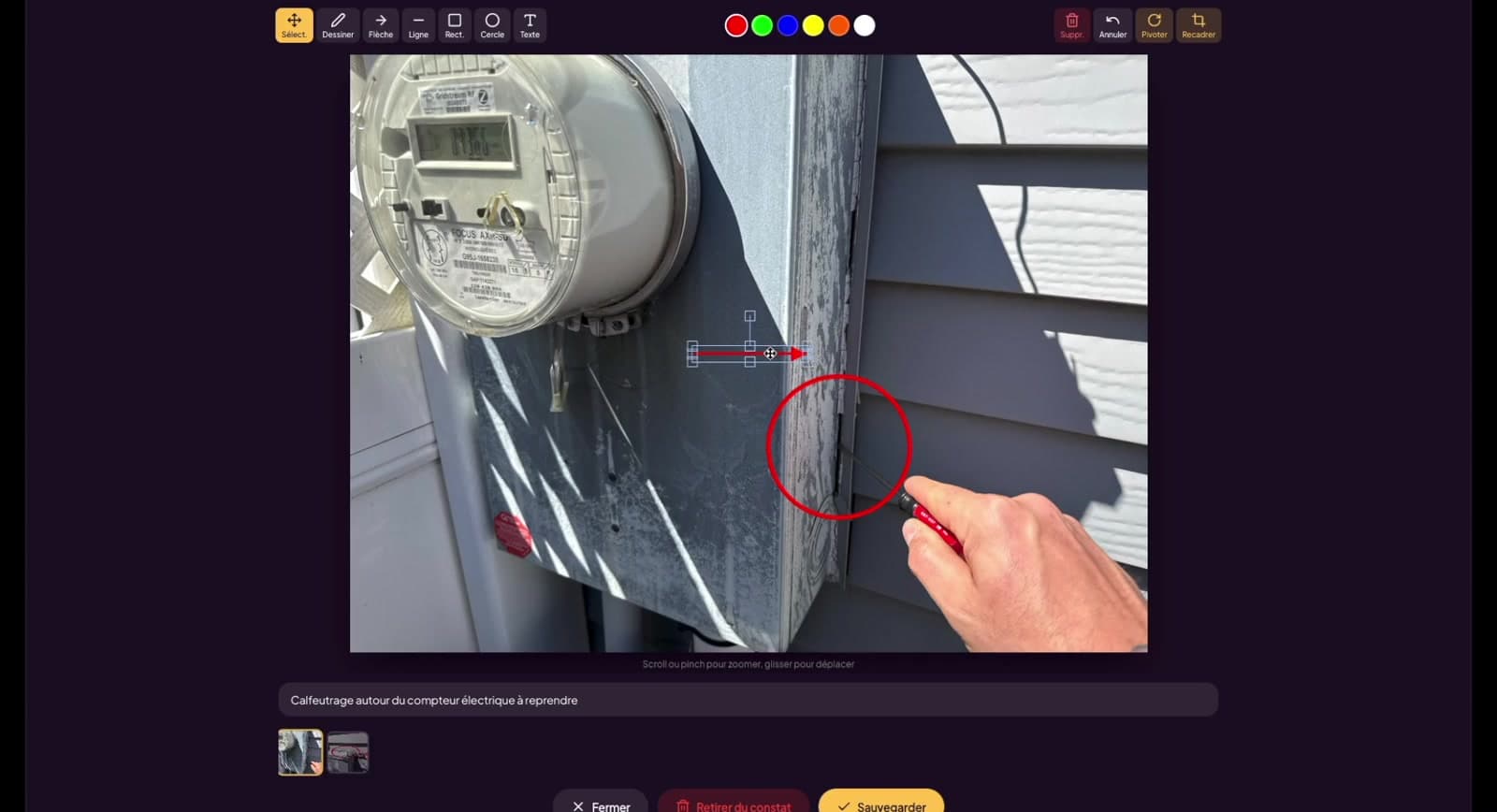
Show exactly what you mean
Draw arrows, circles and text right on the photo, crop what matters. Annotations stay editable until delivery — nothing is burned into the image.
- Pen, arrow, rectangle, circle, text and crop tools
- Editable annotations with undo
- Annotated photos flow straight into the report
Offline mode
No signal? Capture keeps going.
Lumos Capture, the native iOS and Android app, works offline. In the crawl space or the basement, photo, audio and text capture is stored locally on the device and syncs automatically when the network returns. Creating a project and delivering the final report are done online, on the web platform.
- Photo, audio and text capture stored locally on the device
- Automatic sync as soon as the network returns
- Project creation and final report delivery happen online


Gallery
A gallery built for real workflows
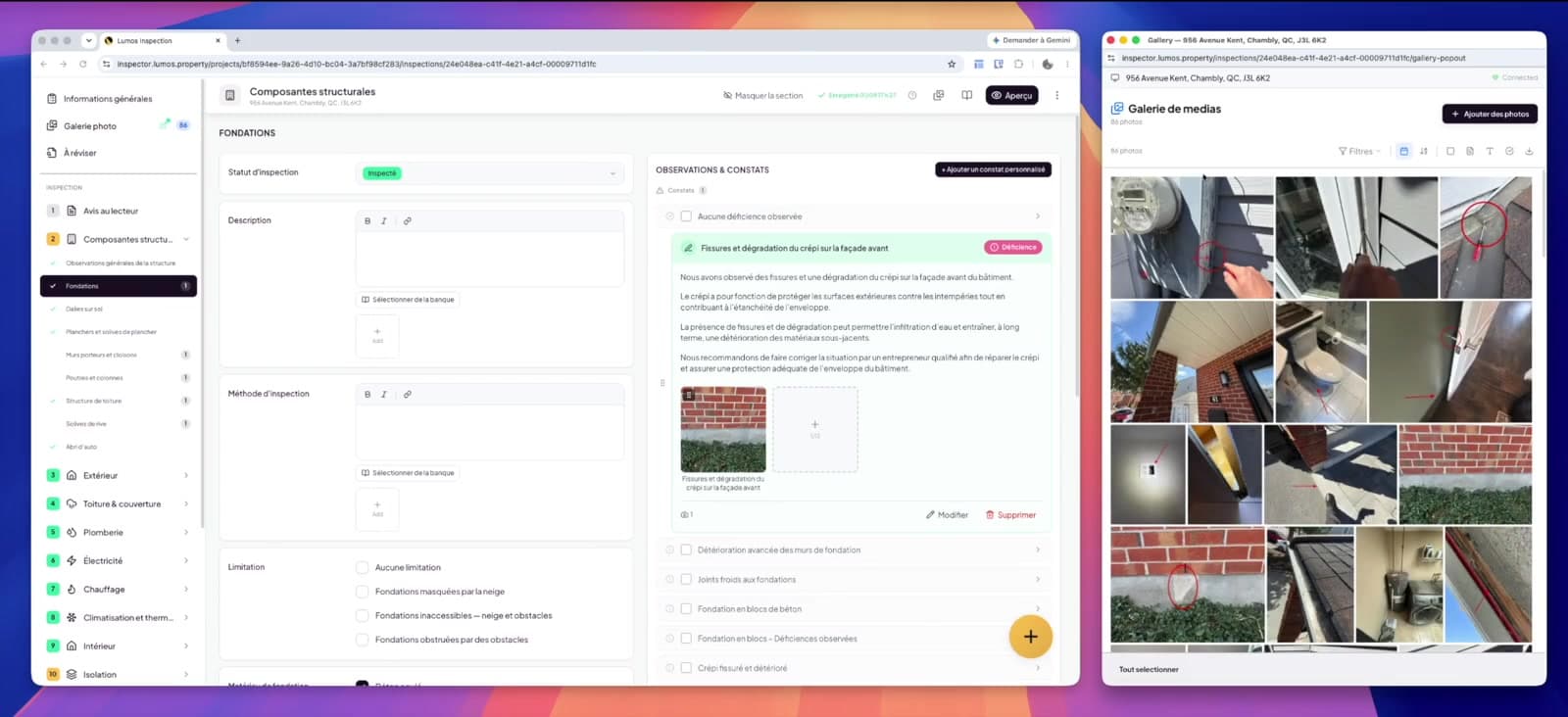
Open the gallery on a second screen, filter by section, and let Street View fetch the exterior shots before you even arrive on site.
- Dual-screen pop-out synced with the main app
- Filters, lightbox and section assignment
- Google Street View integration for exterior photos
Field capture, in detail
| Sub-feature | Detail |
|---|---|
| Voice dictation | Automatic transcription tuned to inspection vocabulary; findings pre-classified in the right BNQ section. |
| Offline capture | Photos, audio and text stored locally on the device; automatic sync as soon as the network returns. |
| Native mobile app | Lumos Capture on iOS and Android; project creation and final report delivery happen online, on the web platform. |
| Batch import | Bulk upload with progress tracking, automatic compression and photo-to-section assignment in a couple of clicks. |
| Photo annotations | Pen, arrow, rectangle, circle, text and crop; editable until delivery, the original photo is never altered. |
| Image bank | Tagged, searchable reference visuals, reusable from one inspection to the next. |
| Dual-screen gallery | Pop-out gallery synced with the main app, with filters, lightbox and section assignment. |
| Street View | Exterior shots fetched through Google Street View before you arrive on site. |
Go further
They made the switch
“Since I started using Lumos for my inspection reports, it has completely changed the way I work. The tool is fast, intuitive and truly adapted to field realities. Before, we'd spend hours — sometimes entire weekends — on outdated software. Today, everything is much more efficient and structured.”
 Othmane BenouattafCertified Building Inspector
Frequently asked questions
Does Lumos Capture work offline?
Yes. Lumos Capture, the native iOS and Android app, works offline. Photo, audio and text capture is stored locally and syncs automatically when the network returns. Creating a project and delivering the final report are done online, on the web platform.
Can I inspect without a phone or tablet on site?
Yes. Many inspectors shoot with a regular camera and build the report at the office. Import your photos in one batch, assign them to sections and write from your desk — voice capture is a convenience, never a requirement.
How does voice dictation work on site?
Press the microphone, describe what you see, and the transcription lands in the right section of your inspection. You review every transcription before anything reaches the report.
Can I annotate photos after the visit?
Yes. Annotations — pen, arrows, circles, text, crop — stay editable at any time before delivery, with undo. The original photo is never altered.
What happens to my photos when I upload them?
Photos are automatically compressed for fast upload and stored securely, and report-ready thumbnails are pre-generated so your PDF builds quickly.
Can I reuse images across inspections?
Yes. The image bank lets you tag and search reference visuals — diagrams, recurring equipment, standard illustrations — and reuse them in any inspection.
Explore the other pillars

The platform
Ready to modernize your inspections?
Join hundreds of inspectors already using Lumos to deliver faster, better reports.