

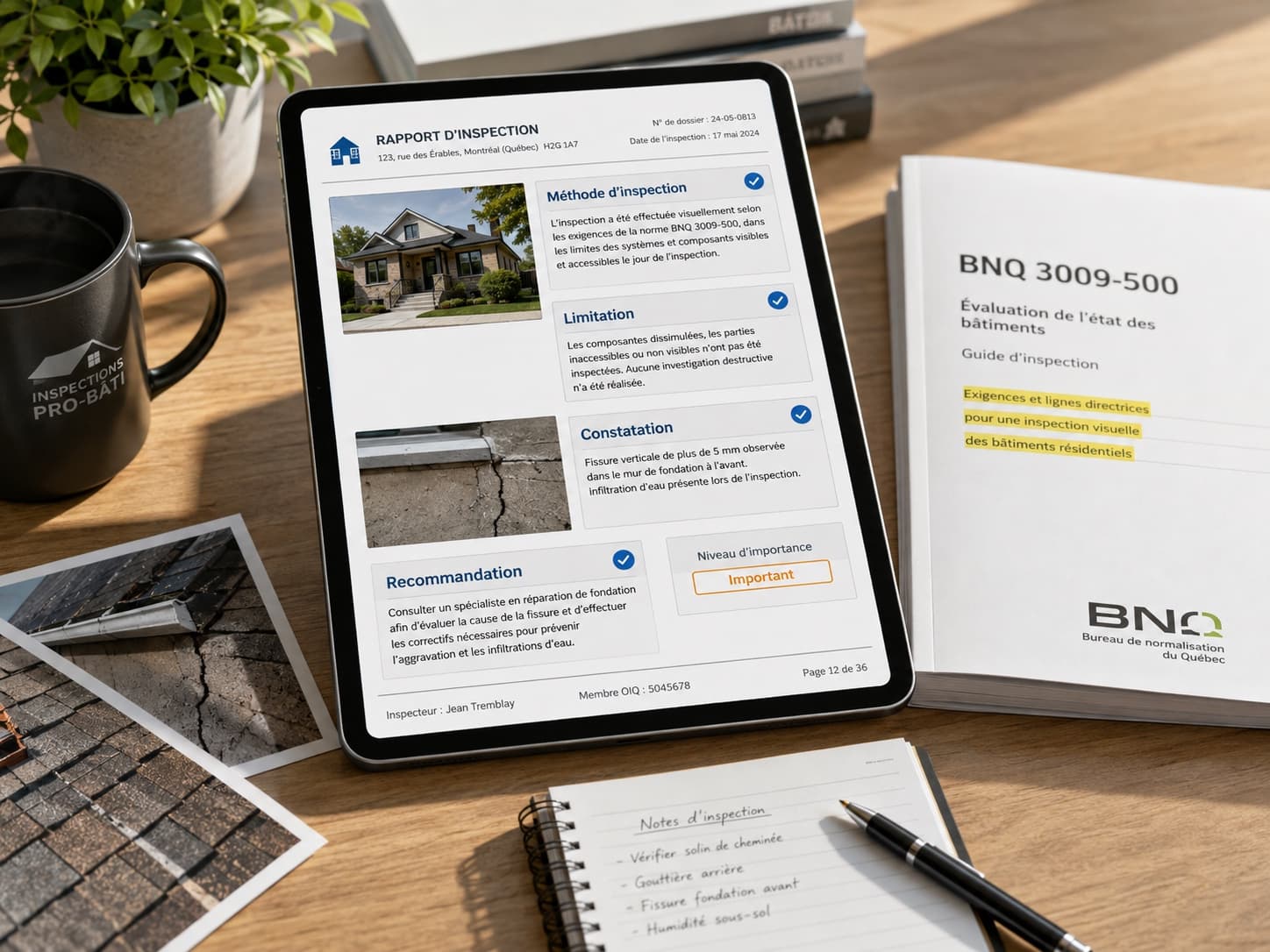
What Makes an Inspection Report Compliant With the BNQ 3009-500 Standard?
Reports
Reports your clients understand — and remember
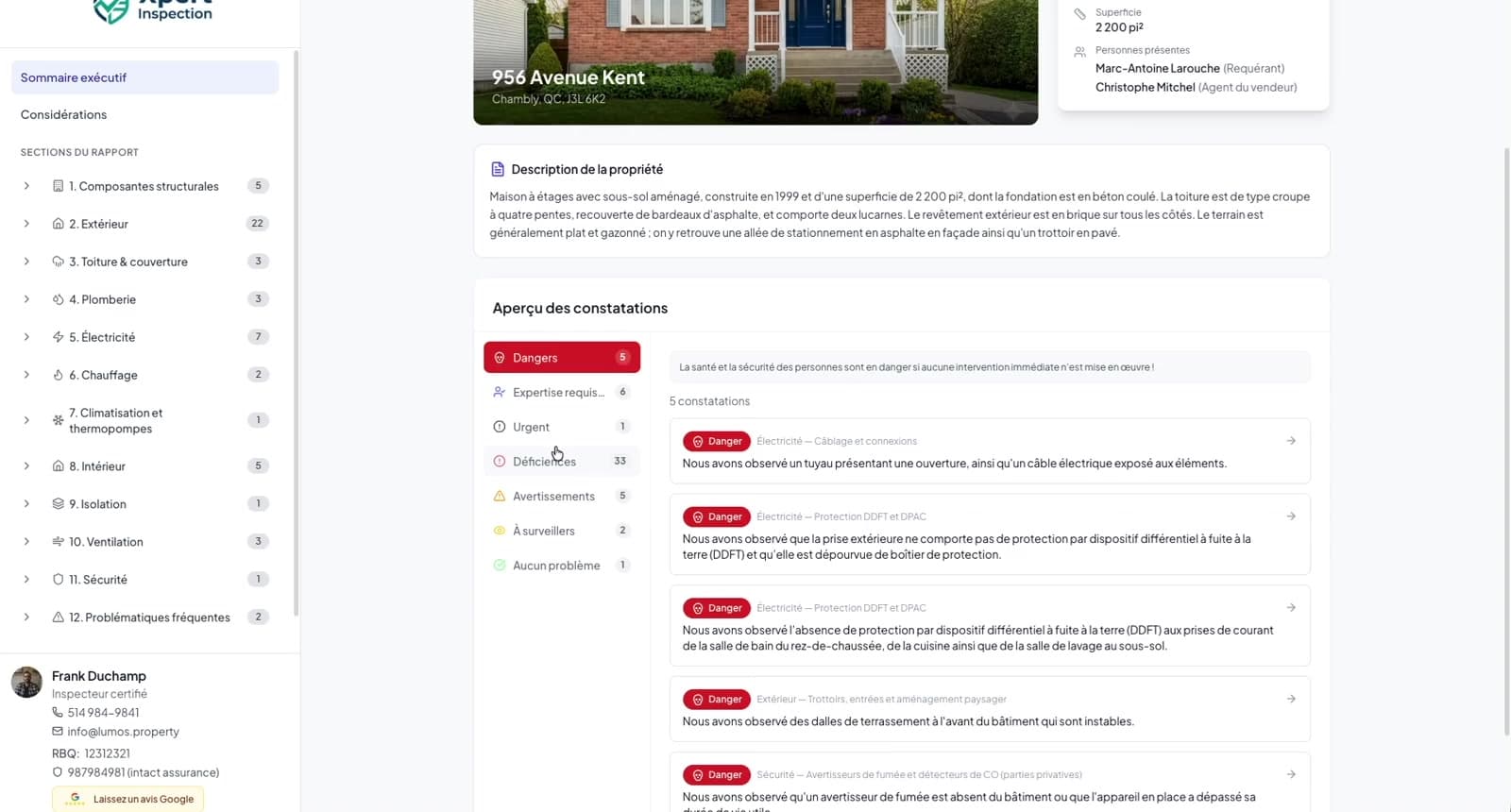
Every inspection produces two deliverables: an interactive inspection report navigable by section and by severity, and a professional PDF in your brand.
The client portal gathers the signed agreement, the invoice, the attached documents and access to the report, through a simple secure link. No account to create, no app to install.
Stand out with an innovative client experience that puts you ahead of the competition — and impresses real-estate agents!
Interactive web report
The report clients actually read
An interactive version of the report, navigable by section and severity. Clients find the executive summary first, then drill into what matters to them.
- Executive summary and section-by-section navigation
- Severity filters to spot the important findings fast
- Readable on any device, no app to install
PDF report
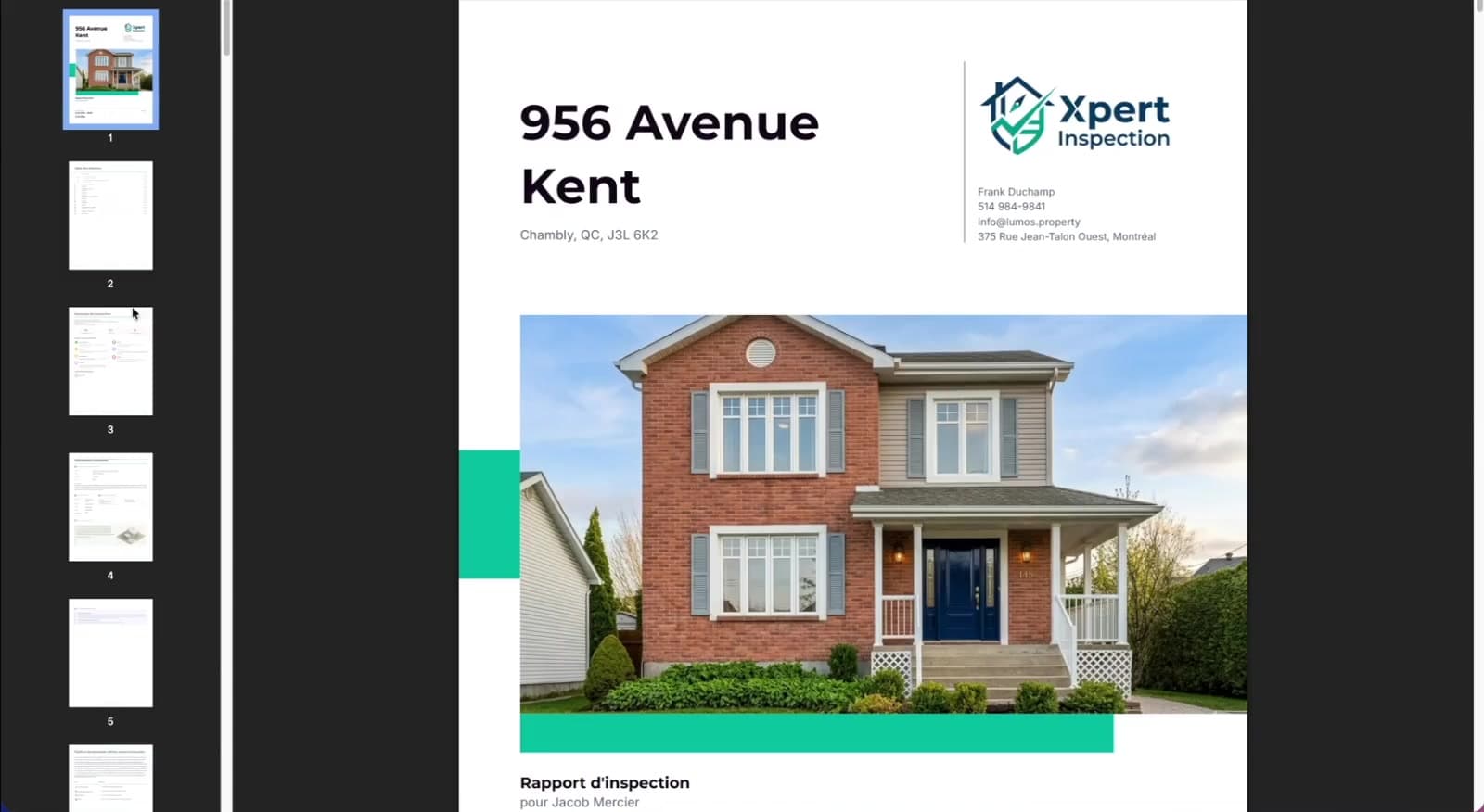
A modern PDF, in your brand!
Cover page, exact table of contents, findings with photo grids, summary, severity legend, certificate — generated in minutes, in your colors and fonts.
- Three density levels, from spacious to ultra-condensed
- Your accent color and font style, applied throughout
- Toggle any finding part: role, consequences, recommendation
Reports, in detail
| Sub-feature | Detail |
|---|---|
| PDF report | Cover page, exact table of contents, findings with photo grids, summary, severity legend and certificate. |
| Display densities | Three density levels, from spacious to ultra-condensed; each finding part can be shown or hidden. |
| Branding | Your accent color (presets or custom) and font style, applied throughout the report. |
| Interactive web report | Executive summary, section-by-section navigation and severity filters, readable on any device. |
| Client portal | Report, signed agreement, invoice and attached documents behind one secure link. |
| Access code | Protection without a client account and without an app to install. |
| Google review button | Optional review button right inside the client report. |
| BNQ compliance | Structure follows the BNQ 3009-500 practice standard, with a conformity review before delivery. |
Go further
They made the switch
“Adapting to Lumos was easy and the interactive report is a great touch for clients. The report templates and finding banks for pre-reception (with code references) and pre-purchase are well done. Very pleasant to work with.”
 Jean-Pierre LerouxCertified Building Inspector
Frequently asked questions
Are the reports BNQ 3009-500 compliant?
Yes. The report structure follows the BNQ 3009-500 practice standard — sections, four-part findings, required notices — and the conformity review helps you verify completeness before delivery.
How does my client access the report?
You share a secure link; your client enters an access code and sees the interactive report — plus the invoice, agreement and documents. No account creation, no app.
Can I customize the look of my reports?
Yes: accent color (presets or custom), font style, photo density, and which finding parts appear. The web report has its own accent configuration too.
Can I see a real example?
Yes — a full sample report is available online, exactly as a client would receive it.
Can clients download a PDF as well?
Yes. The PDF and the web report come from the same data: deliver either, or both.
Explore the other pillars

The platform
Ready to modernize your inspections?
Join hundreds of inspectors already using Lumos to deliver faster, better reports.