

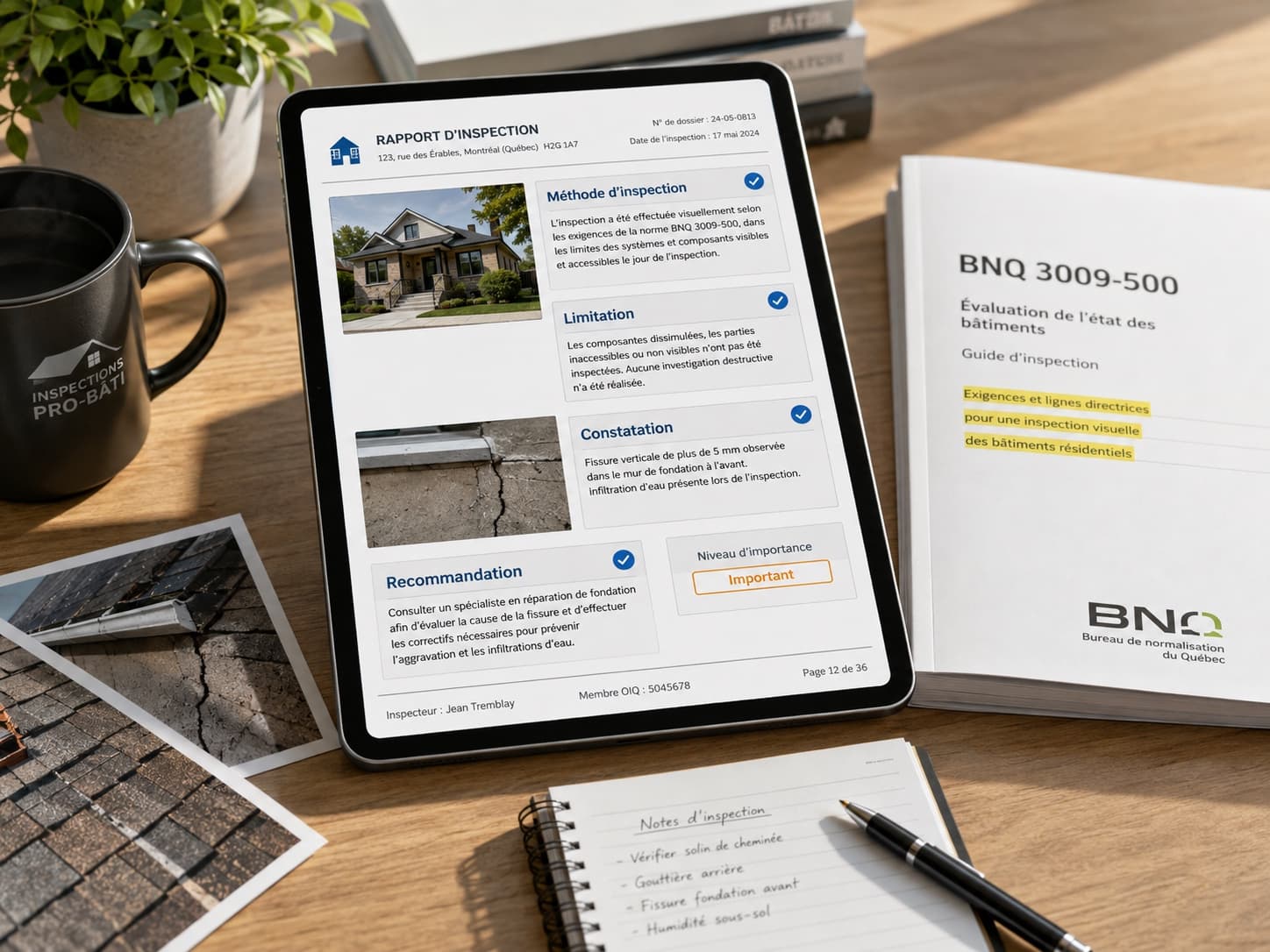
What Makes an Inspection Report Compliant With the BNQ 3009-500 Standard?
Template editor
Your templates, your rules
In Lumos, a template is the blueprint of your inspection: it defines the sections and subsections to walk through, the items to check, the statuses and the severity levels. You pick a template when an inspection starts — it guides capture in the field and gives the final report its structure.
Two inspection report templates come ready to use: residential BNQ 3009-500 and pre-delivery. The visual editor lets you build your own by drag and drop, with configurable severity levels and clonable subsections for commercial and multi-unit buildings.
Every inspection stays pinned to a snapshot of its template, so editing a template never shifts an ongoing or delivered report.
Visual editor
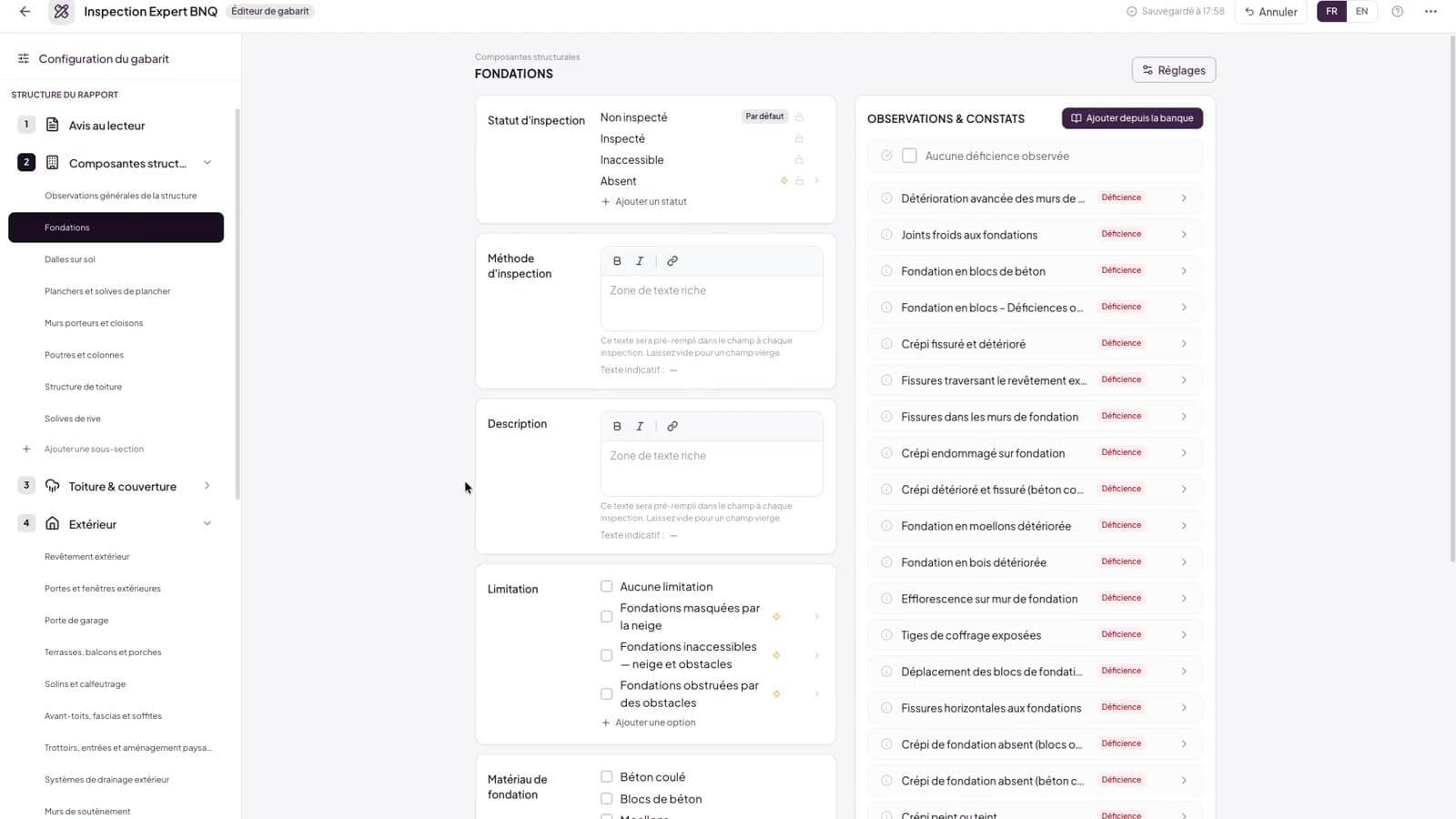
Build a template like you build a report
Drag sections and subsections into place, define statuses and severities, and preview the result as you go. What you assemble is exactly what your team inspects with.
- Drag-and-drop section tree, with a preview that matches the printed report
- Custom statuses and display options per subsection
- No code, no configuration files
Beyond residential
Start compliant, go further
Use the built-in residential and pre-delivery templates on day one. Then adapt them — or build from scratch — for commercial buildings, multi-unit properties and specialized mandates.
- Residential BNQ 3009-500 and pre-delivery system templates included
- Duplicate and adapt any template as a starting point
- Custom sections beyond the standard when a mandate calls for it
Built for real buildings
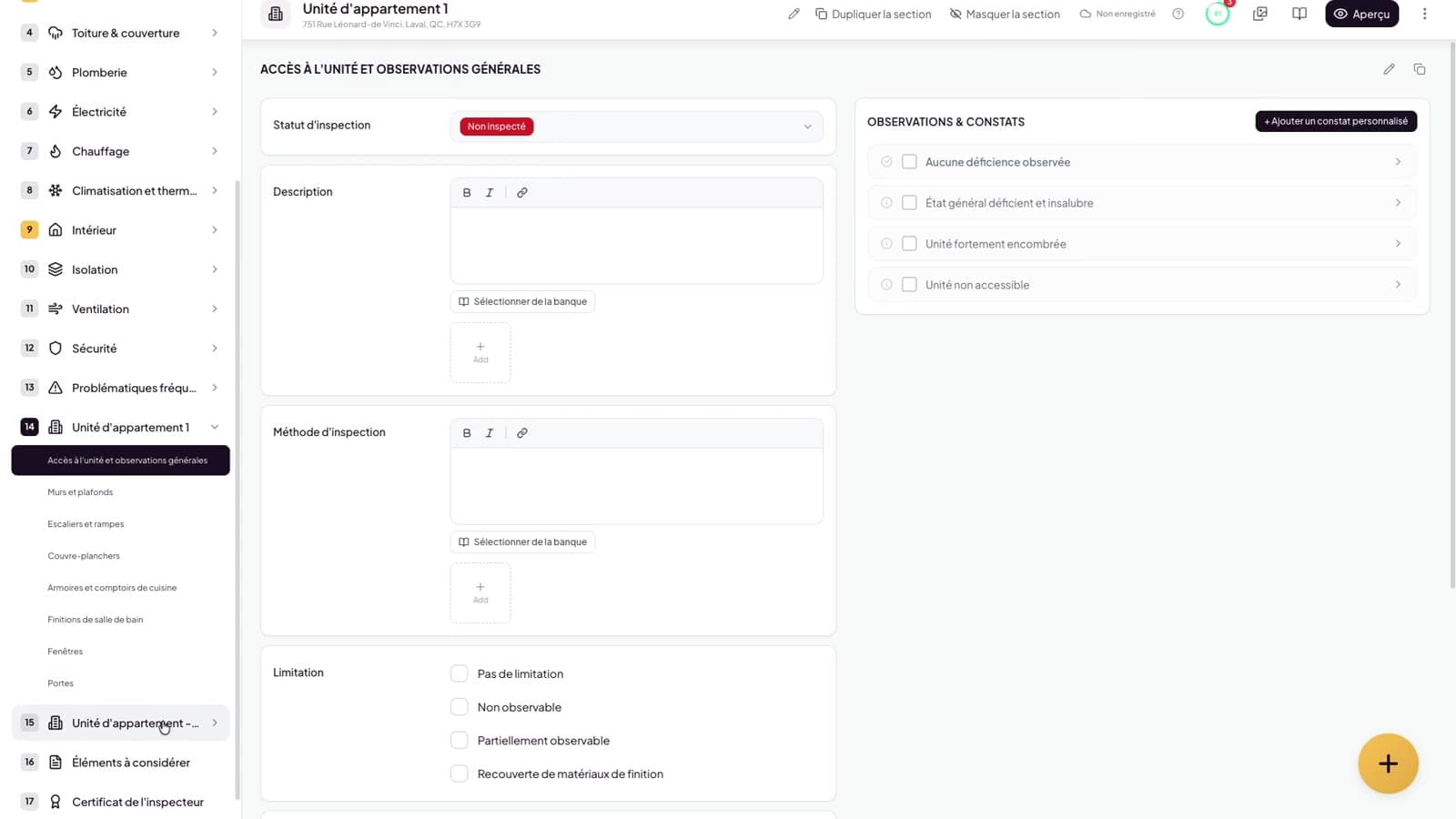
Repeating units? One click.
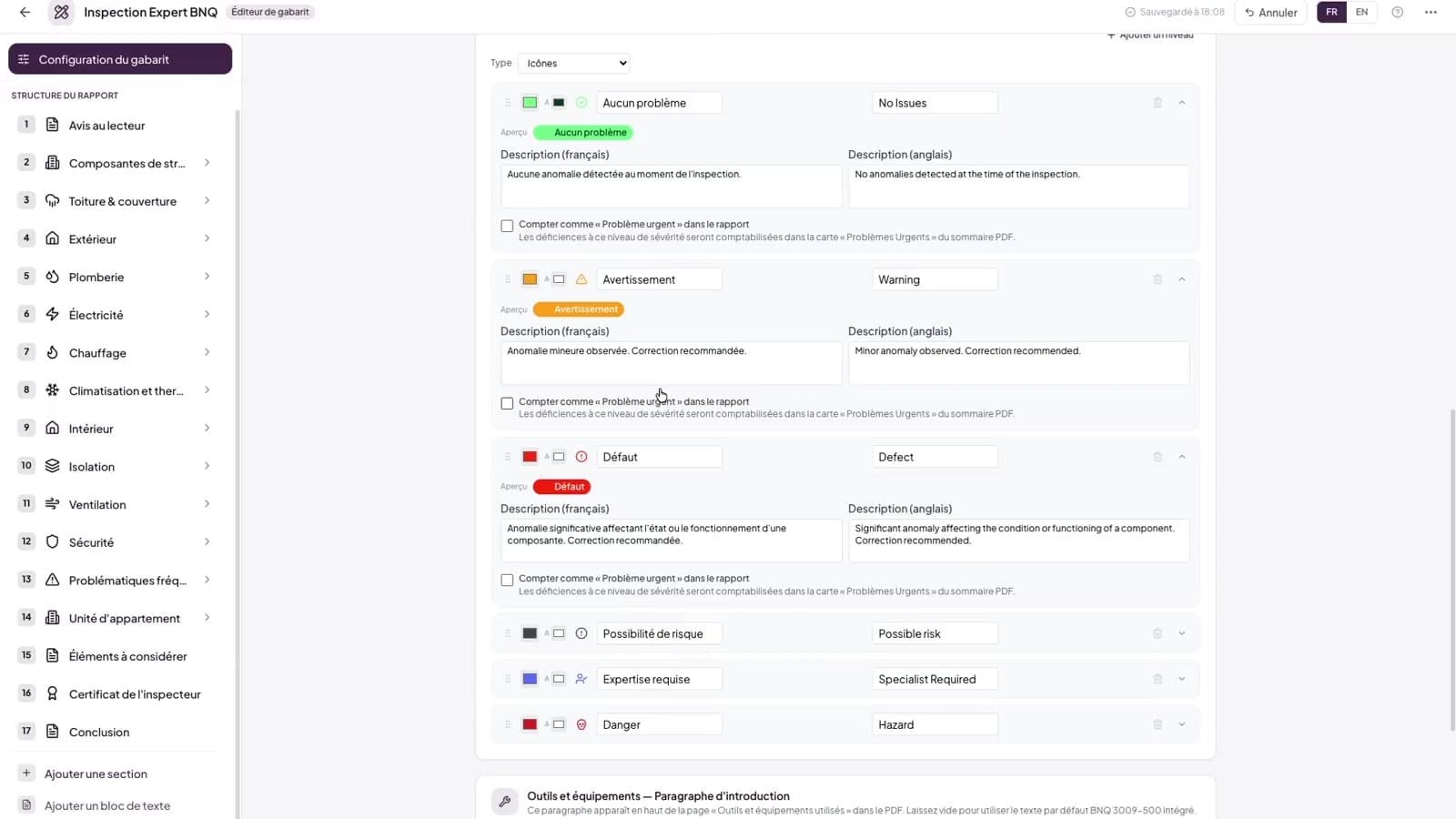
Clonable subsections handle apartments, units and multiple buildings without duplicating your template. Severity levels are yours to define — as many as you need, displayed your way.
- Clonable subsections for units, apartments, outbuildings
- As many severity levels as you need, shown as icon, emoji or color dot
- Auto-findings triggered by status choices
Evolve safely
Change the template, not your history
Every inspection keeps a snapshot of the template it was built with. Edit freely: ongoing and delivered reports never shift under your feet.
- Version history on every template
- Inspections pinned to their template snapshot
- Import/export to share and back up templates
The template editor, in detail
| Sub-feature | Detail |
|---|---|
| System templates | Residential BNQ 3009-500 and pre-delivery, included and ready to use. |
| Visual editor | Drag-and-drop section tree with a preview that matches the printed report; no code, no configuration files. |
| Severity levels | As many levels as you need, shown as icon, emoji or color dot. |
| Clonable subsections | Apartments, units and outbuildings repeated without duplicating the template. |
| Statuses and automation | Custom statuses per subsection, with auto-findings triggered by status choices. |
| Version history | Versions kept on every template; each inspection pinned to its template snapshot. |
| Team sharing | Templates shared with the team or kept private to whoever built them. |
| Import and export | Back templates up or move them between accounts. |
Go further
They made the switch
“Lumos is a simple, efficient software that integrates the BNQ standard in a fully compliant way. It's perfectly suited to the new requirements of the inspector profession, including those from the RBQ, and makes daily organization easier.”
 Dominic KingsberryCertified Building Inspector
Frequently asked questions
Do I need to build a template before my first inspection?
No. Two system templates are included and ready to use: residential BNQ 3009-500 and pre-delivery. The editor is there for the day you want to adapt one or create your own.
Can I inspect commercial or multi-unit buildings?
Yes. Build a dedicated template — or adapt the BNQ one — with clonable subsections for repeating units and custom sections for specialized systems.
If I edit a template, do my ongoing inspections change?
No. Each inspection is pinned to a snapshot of the template taken when it was created, so your ongoing and delivered reports stay exactly as they were.
Can my team share templates?
Yes, when you want them to. Each template is either shared with your team or kept private to whoever built it — share the ones that should keep everyone’s reports consistent, keep your own work to yourself.
Can I start from an existing template?
Yes. Duplicate any template — system or custom — and adapt the copy. Import/export lets you back templates up or move them between accounts.
Explore the other pillars
The platform
Ready to modernize your inspections?
Join hundreds of inspectors already using Lumos to deliver faster, better reports.