

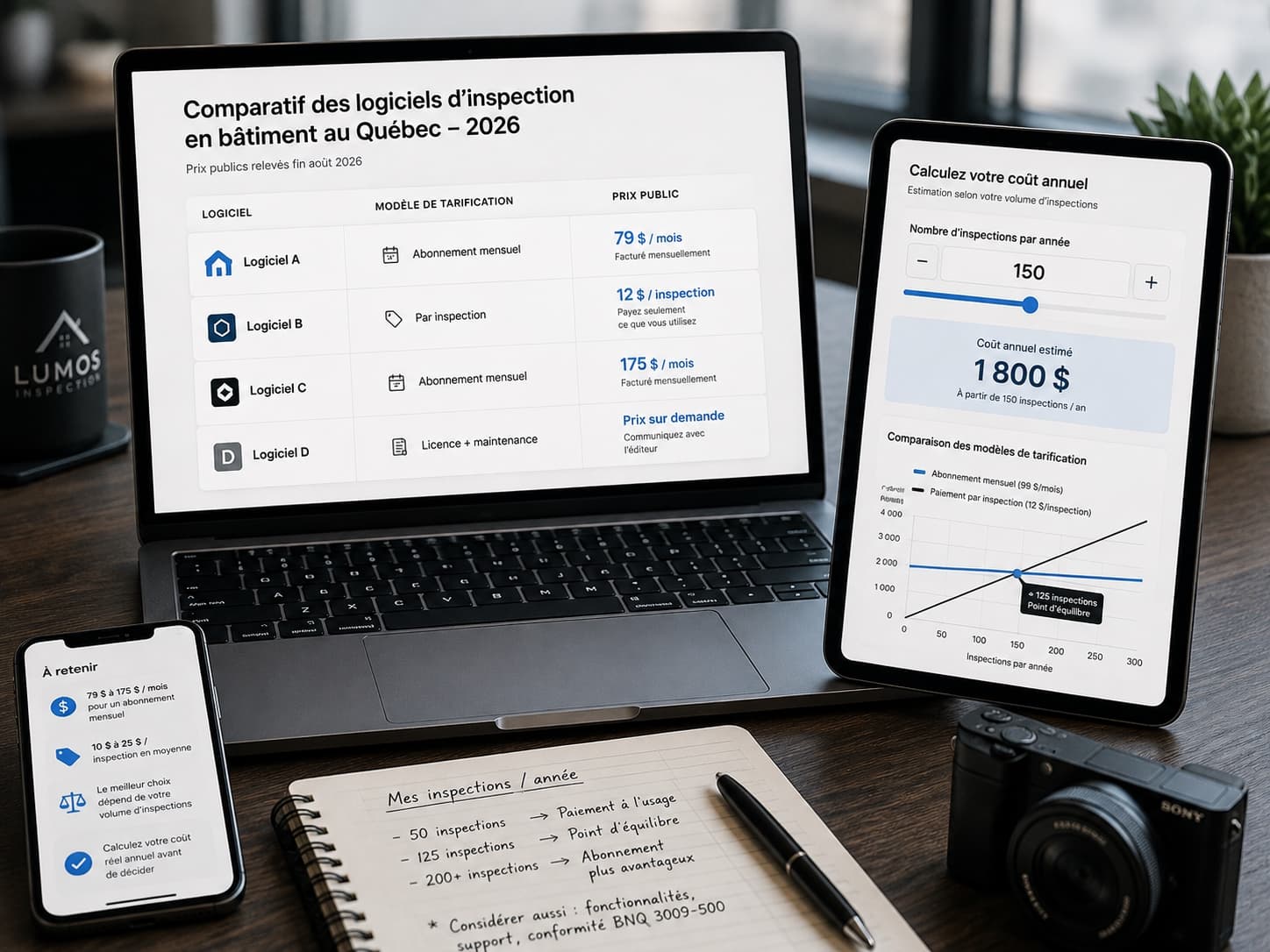
How Much Does Building Inspection Software Cost in Quebec in 2026?
Business management
Admin on autopilot
Business management software for building inspectors that covers the whole admin side: proposals, service agreements signed online, invoicing with GST and QST calculated automatically, Google review requests and team seats.
From first contact to payment, everything stays in one place: the Document Center tracks every document, your client finds them all in one portal, and your data can be exported at any time.
Proposals & agreements
From request to signed mandate
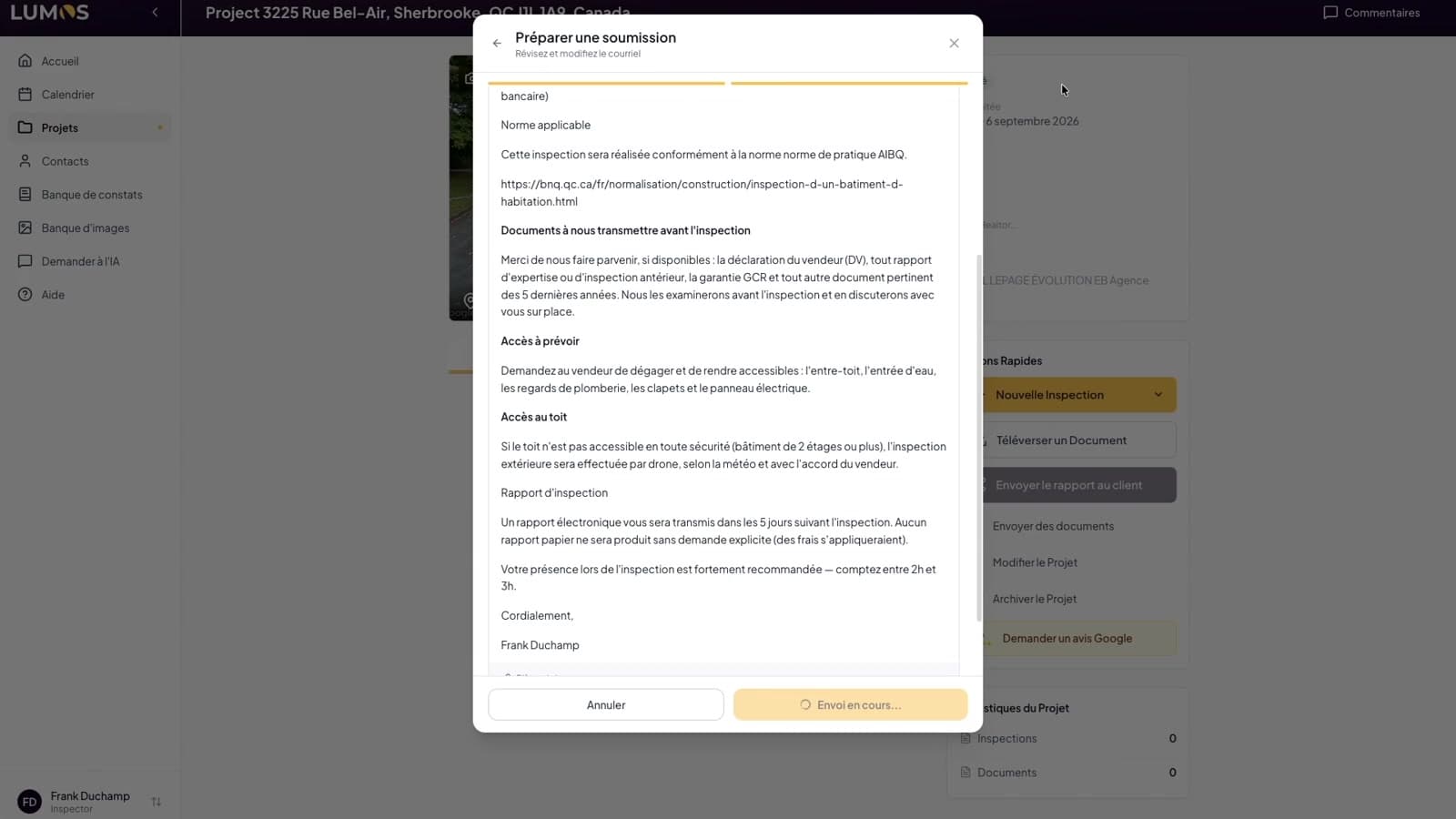
Send a proposal package — quote, agreement, documents — in one email. Association agreements (APCHQ, AIBQ) come pre-filled; your client signs online in minutes.
- Proposal builder: quote, email and attachments in one flow
- APCHQ and AIBQ agreements pre-filled
- Legally binding e-signature, no printer involved
- Calendar invitations for your inspection appointments
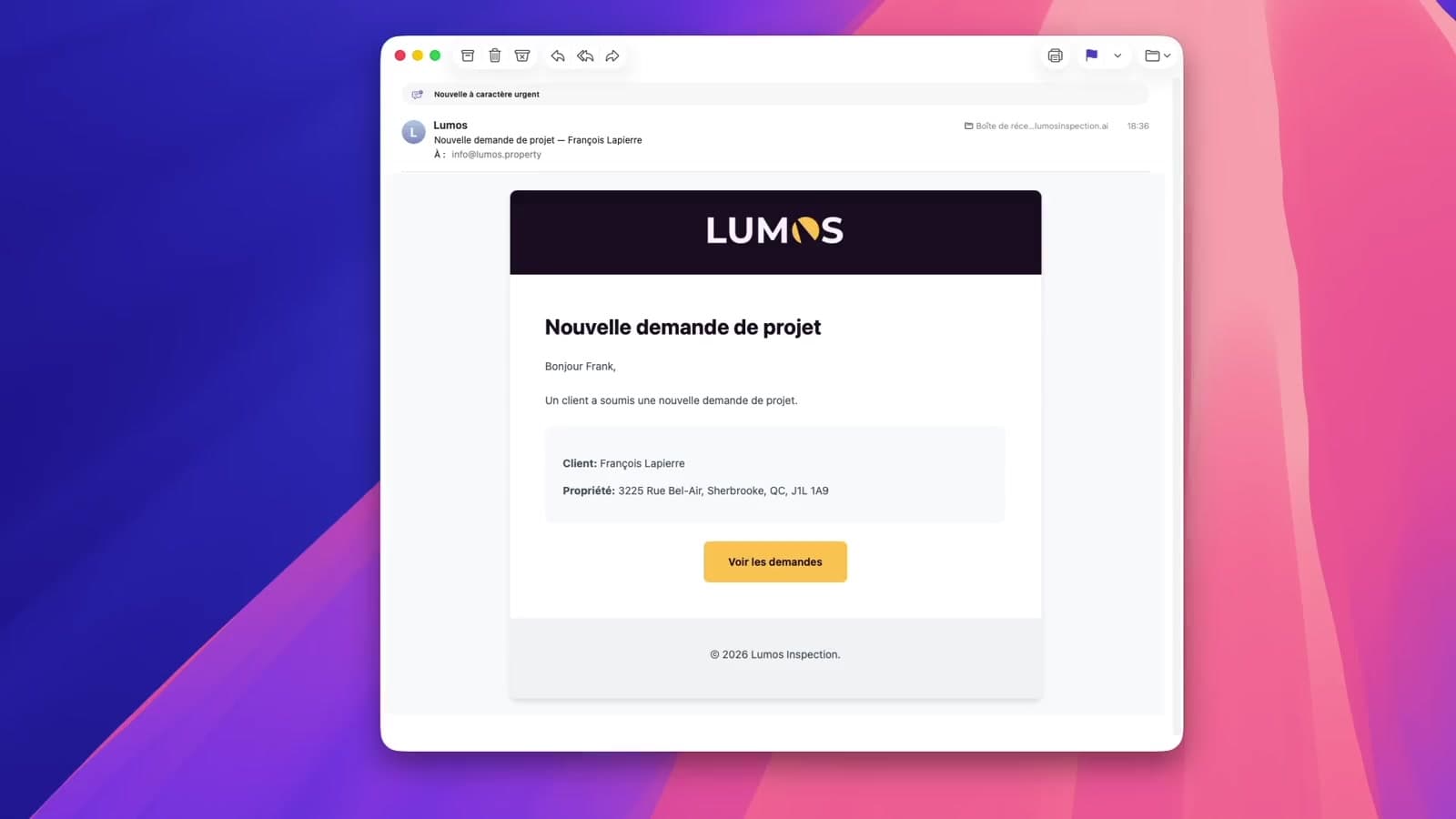
Document Center & client portal
Every document tracked, one link for your client
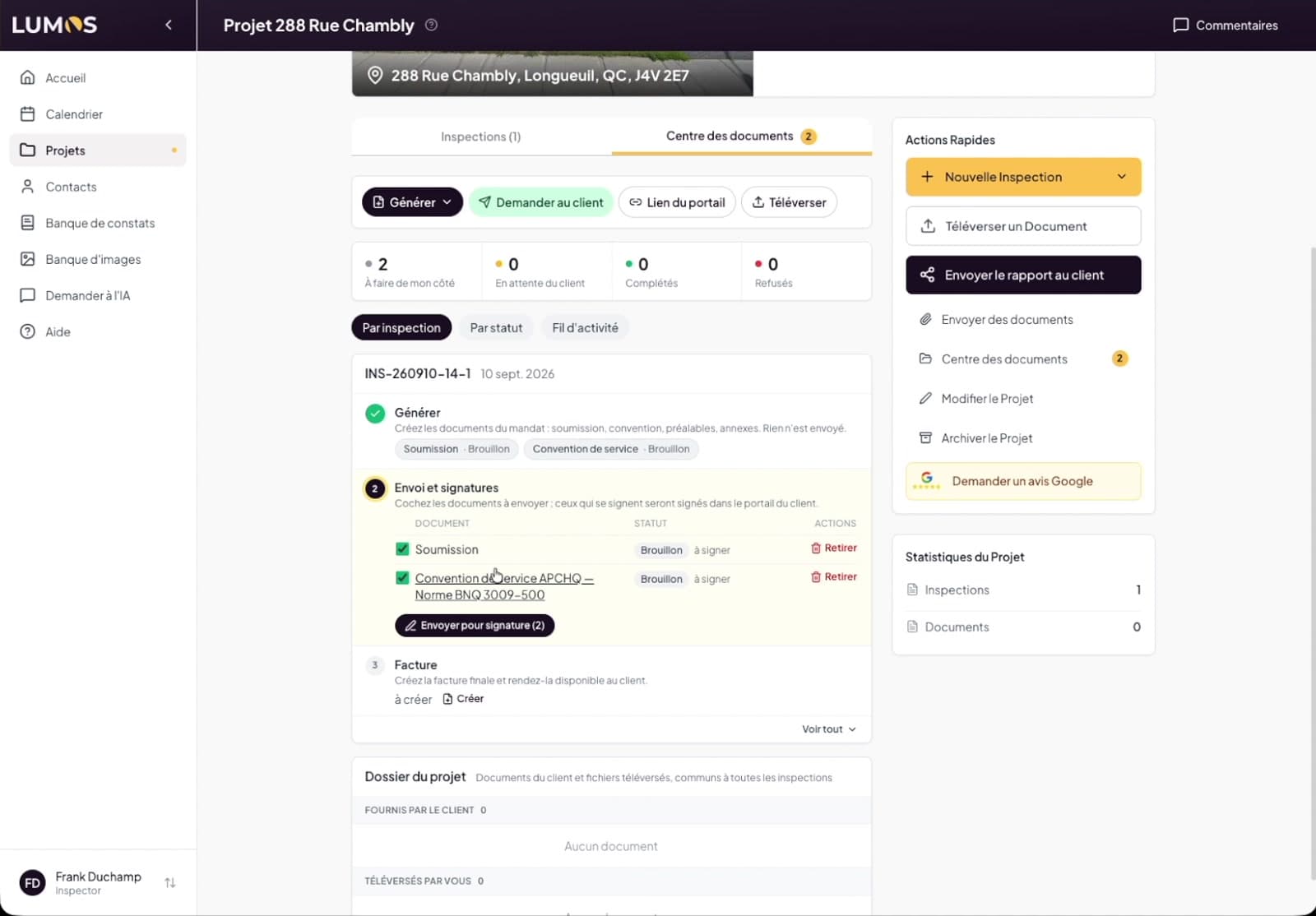
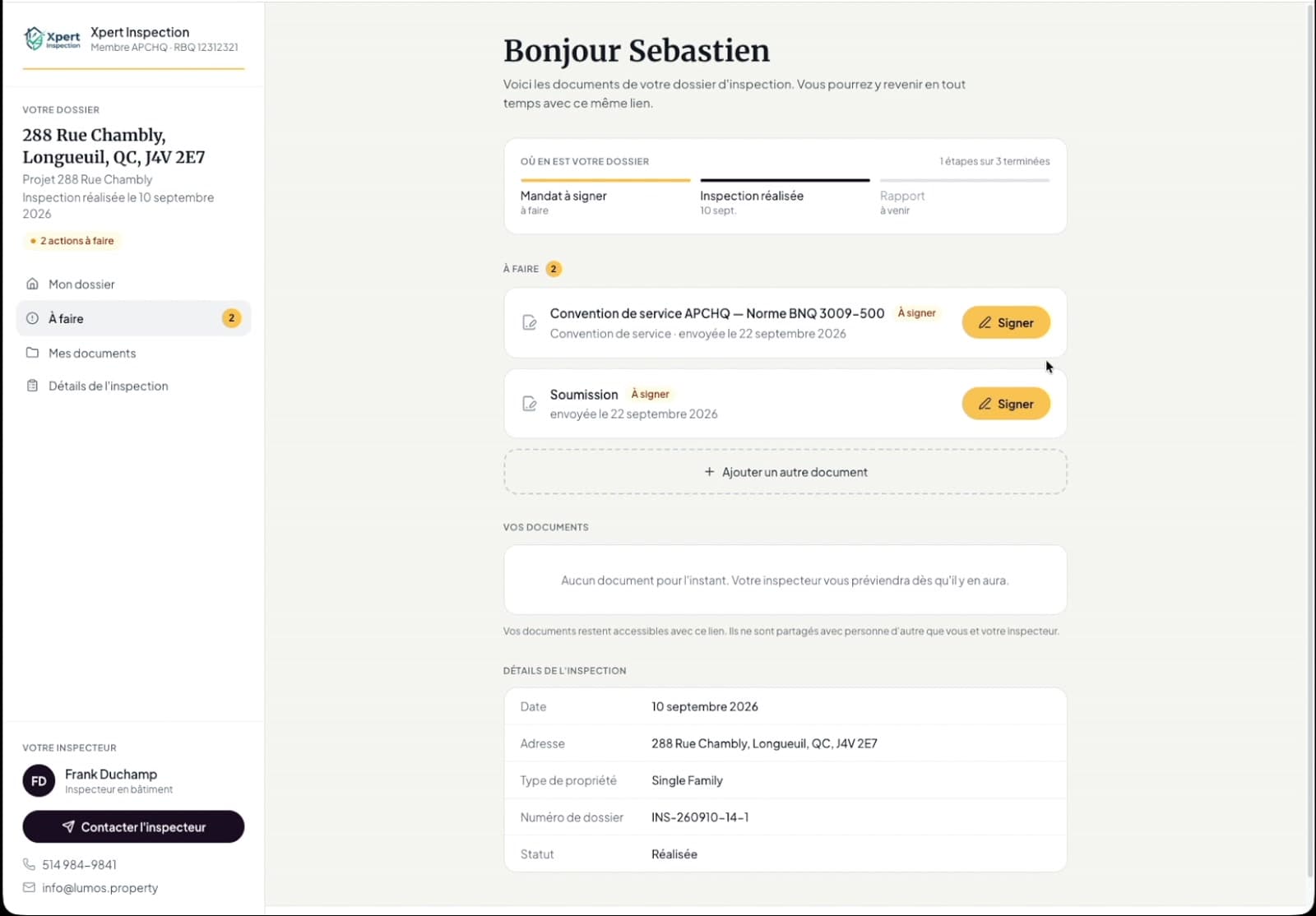
The Document Center gathers everything that travels on a project — proposal, agreement, BNQ prerequisites, invoice, report, the files your client sends back — each with its status and its timestamped history. Your client gets a single secure link: they read, sign and upload from their portal, with no account to create and no attachment flying around.
- Each mandate in three steps: generate, send for signature, invoice
- Proposal, association agreement and BNQ prerequisites signed online — up to two signatories, sealed copy and signature certificate
- Document requests with a due date and automatic reminders
- Client portal with no account: what is left to do, their documents, their report and a button to write to you
- Timestamped activity feed: sends, opens, signatures, uploads and refusals
Invoicing
Taxes done right, every time
GST, QST and HST are calculated automatically by province. Generate a professional invoice your client views in their portal — with auto-numbering that follows your convention.
- Automatic Canadian tax calculation by province
- Route logs and mileage calculated automatically
- Professional PDF invoices, emailed to the client
- Contract auto-numbering with your own pattern
Reviews & growth
Your reputation, working for you
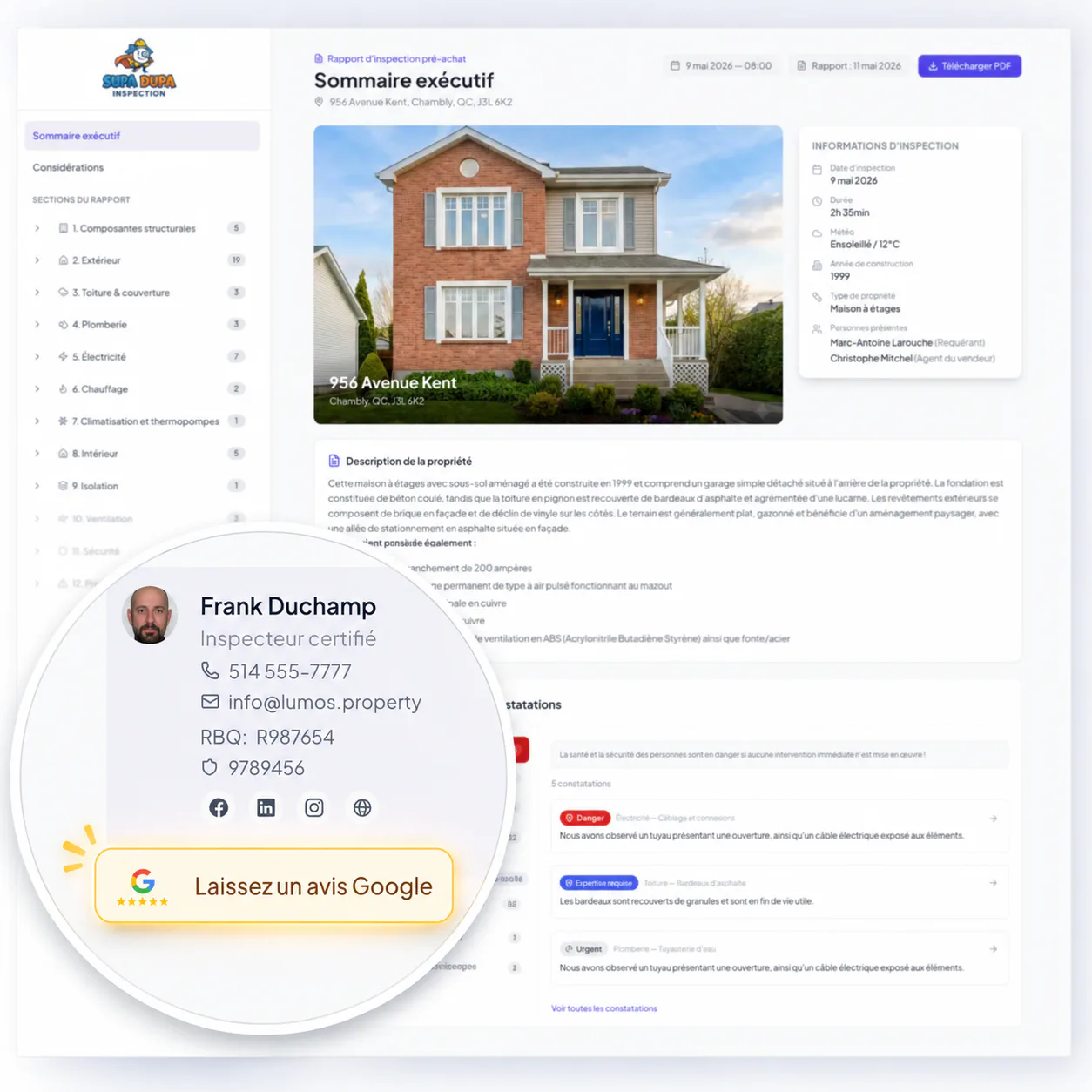
After each delivered report, a Google review request goes out automatically at the delay you choose. Add the request widget to your website and let new mandates come to you.
- Automatic review requests: 24h, 48h, 72h or 1 week after delivery
- Embeddable request widget for your own website
- Review button inside the client report
Team & data
Grow without losing control
Invite team members with roles and per-seat pricing, reassign inspections, track AI Assistant usage per member — and export your data whenever you want.
- Owner, admin and member roles
- Per-member AI Assistant usage tracking
- Full data export: projects, reports and files in a ZIP

Business management, in detail
| Sub-feature | Detail |
|---|---|
| Proposals | Quote, email and attachments assembled in one flow. |
| Service agreements | APCHQ and AIBQ agreements pre-filled, with a legally binding e-signature and no printer involved. |
| Document Center | Every document of a project in one place, with its status, its history and the four counters of the file: on my side, waiting on the client, completed, refused. |
| Client portal | One secure link per client, with no account to create: sign, upload a document, open the report and write to the inspector. |
| Online signature | Proposal, association agreement and BNQ prerequisites signed online, by up to two signatories, with a sealed copy and a signature certificate. |
| Document requests | Ask the client for their documents with a due date; reminders go out on their own and every upload is notified. |
| Activity feed | A timestamped timeline of the project: sends, opens, signatures, uploads, refusals and client messages. |
| GST/QST invoicing | Canadian taxes calculated automatically by province; professional PDF invoices, emailed to the client. |
| Auto-numbering | Contract and invoice numbering that follows your own pattern. |
| Mileage | Route logs and mileage calculated automatically for your inspection trips. |
| Google reviews | Automatic review requests 24 hours to 1 week after delivery, plus an embeddable widget for your website. |
| Calendar | Calendar invitations for your inspection appointments. |
| Team | Owner, admin and member roles, per-seat pricing, inspection reassignment and per-member usage tracking. |
| Your data | Full export of projects, reports and files as a ZIP archive, at any time. |
Go further
They made the switch
“Lumos has really improved the way I put my reports together. Everything is much faster and better organized, and the end result looks very professional. I recommend it!”
 Walid AbourialCertified Building Inspector
Frequently asked questions
Are taxes calculated automatically on invoices?
Yes. GST, QST and HST are looked up by province and applied automatically. You review the invoice before it goes out.
How do clients sign the service agreement?
They receive a link by email, read the agreement and draw their signature on the page — from any device. You are notified as soon as it is signed.
How do Google review requests work?
Connect your Google business profile, choose a delay (24h to 1 week), and the request is emailed automatically after each delivered report. You can also send one manually.
Does my client need an account to sign?
No. They receive a secure link by email and open their portal from any device: they read the document, type their initials, draw their signature and download their sealed copy right away. Yours arrives by email.
What if the agreement has to be signed by two people?
The co-applicant gets their own portal link and signs on their side. As soon as the second signature lands, the sealed copy — with a certificate carrying both signatures — goes out to both clients and to you.
How do I know where a document stands?
The Document Center shows the state of every item — draft, sent, signed, received, refused — and the activity feed timestamps every move, from the send to the moment the client opens it.
Can I get my data out of Lumos?
Yes. Export selected projects — reports, photos, documents and data — as a ZIP archive at any time. Your business stays yours.
Does Lumos track my mileage?
Yes. Lumos calculates route logs and mileage for your inspection trips — useful for travel billing and tax season.
Can I work with a team?
Yes. Add seats, assign roles, reassign inspections between members, and track usage per member. Templates and branding stay consistent across the team.
Explore the other pillars

The platform
Ready to modernize your inspections?
Join hundreds of inspectors already using Lumos to deliver faster, better reports.